
WordPress 6.9 “Gene” dropped in December 2025 as the final major release of the year, and it’s packed with features that matter for developers. From the new Abilities API to collaboration tools that bring Google Docs-style commenting to the block editor, this release changes how we build and maintain WordPress sites.
I’ve been digging through the release notes and testing these features on client projects. Here’s my developer-focused breakdown of what’s actually useful and how to implement it.
The Abilities API: Standardized Capability Checking
The Abilities API is the headline developer feature in 6.9. It provides a standardized framework for declaring and checking WordPress capabilities across Core and plugins. No more scattered current_user_can() calls with magic strings—now you get a structured, documented approach.
Basic Implementation
Here’s how to register and use abilities in your plugin:
// Register a custom ability
add_action( 'init', function() {
    if ( function_exists( 'register_ability' ) ) {
        register_ability( 'my_plugin_manage_settings', array(
            'label'       => __( 'Manage Plugin Settings', 'my-plugin' ),
            'description' => __( 'Allows users to modify plugin configuration', 'my-plugin' ),
            'default'     => 'manage_options', // Maps to existing capability
        ) );
    }
} );

// Check the ability
if ( current_user_has_ability( 'my_plugin_manage_settings' ) ) {
    // Show settings UI
}

// Or in a REST API permission callback
'permission_callback' => function() {
    return current_user_has_ability( 'my_plugin_manage_settings' );
}
The API also exposes REST endpoints for querying abilities, making it easier to build dynamic UIs that respect user permissions.
Interactivity API Enhancements
WordPress 6.9 brings significant improvements to the Interactivity API, particularly around client-side navigation and fetch priority handling.
Fetch Priority Support
You can now set fetch priority on interactive requests, which is crucial for performance-sensitive applications:
// In your block's view.js
import { store, getContext } from '@wordpress/interactivity';

store( 'myPlugin', {
    actions: {
        async loadData() {
            const context = getContext();

            // Low priority fetch - won't block critical resources
            const response = await fetch( '/wp-json/my-plugin/v1/data', {
                priority: 'low'
            } );

            context.data = await response.json();
        }
    }
} );
Client Navigation Improvements
The client navigation system now handles edge cases better, including proper cleanup of event listeners and improved state management during navigation:
// Enhanced navigation handling
store( 'myPlugin', {
    callbacks: {
        onNavigate() {
            // Runs before client-side navigation
            const context = getContext();
            context.isNavigating = true;
        },
        onNavigated() {
            // Runs after navigation completes
            const context = getContext();
            context.isNavigating = false;
            // Reinitialize any DOM-dependent logic
            this.initializeComponents();
        }
    }
} );
Block Bindings API Updates
The Block Bindings API continues to evolve, making it easier to connect block attributes to dynamic data sources. WordPress 6.9 introduces a new filter for custom binding logic:
// Register a custom block binding source
add_action( 'init', function() {
    register_block_bindings_source( 'my-plugin/user-meta', array(
        'label'              => __( 'User Meta', 'my-plugin' ),
        'get_value_callback' => 'my_plugin_get_user_meta_value',
        'uses_context'       => array( 'postId' ),
    ) );
} );

function my_plugin_get_user_meta_value( array $source_args, $block_instance ) {
    $post_id = $block_instance->context['postId'] ?? get_the_ID();
    $author_id = get_post_field( 'post_author', $post_id );

    return get_user_meta( $author_id, $source_args['key'], true );
}

// Use in block.json
{
    "bindings": {
        "content": {
            "source": "my-plugin/user-meta",
            "args": { "key": "professional_title" }
        }
    }
}
New Blocks Worth Knowing
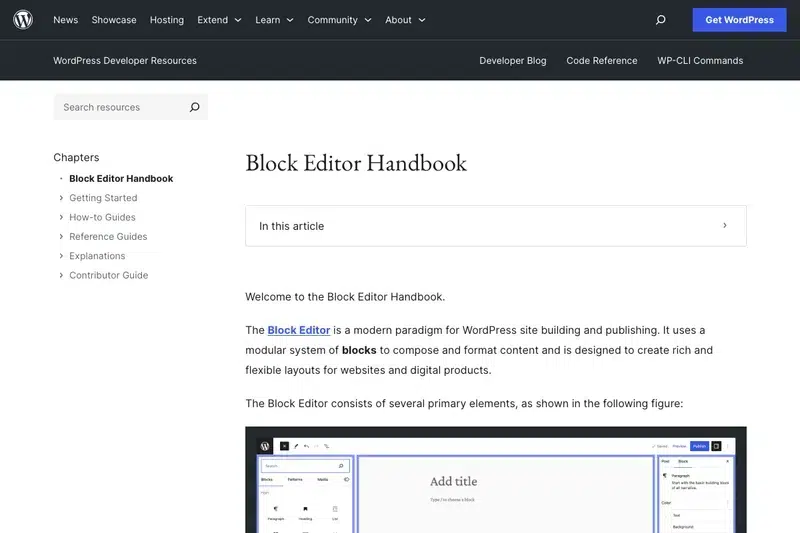
WordPress 6.9 introduces several new core blocks. Here’s the developer perspective on each:
Accordion Block
The Accordion block uses a three-component structure: Accordion Item (parent), Accordion Heading (clickable trigger), and Accordion Panel (content area). It’s built on native HTML details/summary elements for accessibility:
// The accordion renders as semantic HTML
<details class="wp-block-accordion-item">
    <summary class="wp-block-accordion-heading">
        Section Title
    </summary>
    <div class="wp-block-accordion-panel">
        <!-- Any blocks can go here -->
    </div>
</details>

// Style with CSS
.wp-block-accordion-item[open] .wp-block-accordion-heading::after {
    transform: rotate(180deg);
}
Terms Query Block
This block dynamically displays taxonomy terms—perfect for category listings, tag clouds, or custom taxonomy displays without writing PHP:
// The block outputs structured taxonomy data
// You can filter the output with:
add_filter( 'render_block_core/terms-query', function( $content, $block ) {
    // Modify the rendered output
    return $content;
}, 10, 2 );
Math Block
For technical content, the Math block renders LaTeX-style mathematical notation. It supports both block-level equations and inline math within paragraphs.
Block-Level Notes: Collaboration in the Editor
The headline UX feature is block-level notes—Google Docs-style commenting right in the block editor. For developers, this means:
- Notes are stored as post meta, not in post content
- Email notifications are triggered via WordPress’s native email system
- Notes are only visible to users with edit access
- The system uses the REST API, so you can integrate it into custom workflows
// Access notes programmatically
$notes = get_post_meta( $post_id, '_block_notes', true );

// Create a note via REST API
POST /wp-json/wp/v2/block-notes
{
    "post_id": 123,
    "block_id": "abc-123",
    "content": "Please review this section",
    "parent": 0 // For threading
}
HTML Block Gets a Serious Upgrade
The HTML block now opens in a fullscreen modal with separate tabs for HTML, CSS, and JavaScript. This is a game-changer for embedding complex widgets or third-party integrations:
// Each tab's content is stored separately in the block
{
    "html": "<div id='my-widget'></div>",
    "css": "#my-widget { padding: 20px; background: #f0f0f0; }",
    "js": "document.getElementById('my-widget').innerHTML = 'Hello';"
}
The CSS and JS are properly scoped and loaded only when the block is rendered.
Performance Improvements
WordPress 6.9 includes several under-the-hood performance wins:
- Flash removal: All Flash-related code (swfupload, swfobject) is finally gone from Core
- PHP 8.5 compatibility: Full support for the latest PHP version
- OpCache improvements: WordPress Playground saw 42% response time reduction with OpCache optimizations that benefit Core
- Lazy route loading: The new
@wordpress/bootpackage enables static and lazy routes for admin pages
Button Block Gets Semantic
A small but important change: the Button block now offers a <button> element option instead of just <a> tags. This improves accessibility and semantic correctness for non-link actions:
// In Advanced settings, select "Button" as the HTML element
// Renders as:
<button class="wp-block-button__link">Click Me</button>

// Instead of:
<a href="#" class="wp-block-button__link">Click Me</a>
You can also now style button pseudo-classes (hover, focus, active) directly in theme.json.
Command Palette Goes Global
The command palette (Cmd+K / Ctrl+K) now works across the entire WordPress admin, not just the block editor. This opens up interesting possibilities for plugin developers:
// Register a custom command
wp.data.dispatch( 'core/commands' ).registerCommand( {
    name: 'my-plugin/quick-action',
    label: 'My Plugin: Do Something',
    icon: 'admin-tools',
    callback: () => {
        // Your action here
        window.location.href = '/wp-admin/admin.php?page=my-plugin';
    }
} );
Upgrade Considerations
Before upgrading production sites, test these potential breaking changes:
- Flash dependencies: If you have legacy media upload code that relied on Flash fallbacks, it will break
- PHP 8.5 deprecations: Check your code for PHP 8.5 compatibility warnings
- Interactivity API changes: If you’re using client navigation, test thoroughly with the updated API
- Block Bindings: Custom binding sources may need updates for the new filter system
Looking Ahead to WordPress 7.0
WordPress 6.9 sets the stage for 7.0, expected in March or April 2026. The release schedule is returning to three major versions per year, so expect faster iteration. The Abilities API and Interactivity API improvements in 6.9 are foundational for the admin redesign work coming in 7.0.
Key Takeaways
- The Abilities API provides standardized capability checking—adopt it for new plugins
- Interactivity API improvements make client-side WordPress more robust
- Block-level notes enable real collaboration workflows
- The HTML block overhaul is a win for complex embeds
- PHP 8.5 compatibility means it’s time to test and upgrade your hosting
WordPress 6.9 is a solid developer release. The Abilities API alone is worth the upgrade if you’re building plugins that need fine-grained permission control. Start testing on staging sites now—7.0 is only a few months away.